Set Up Back Tap to Add Expenses
Use iOS Back Tap to open moneeAI's add expense screen instantly — no unlocking, no searching. Log spending the second it happens.
What is Back Tap?
Back Tap is a built-in iOS accessibility feature that lets you trigger an action by tapping the back of your iPhone. Paired with moneeAI, it gives you a zero-friction way to log an expense the moment you spend — without even opening your phone first.
Requirements
- iPhone 8 or later
- iOS 14 or later
- moneeAI installed from the App Store
How to set it up
Add the shortcut in the Shortcuts app
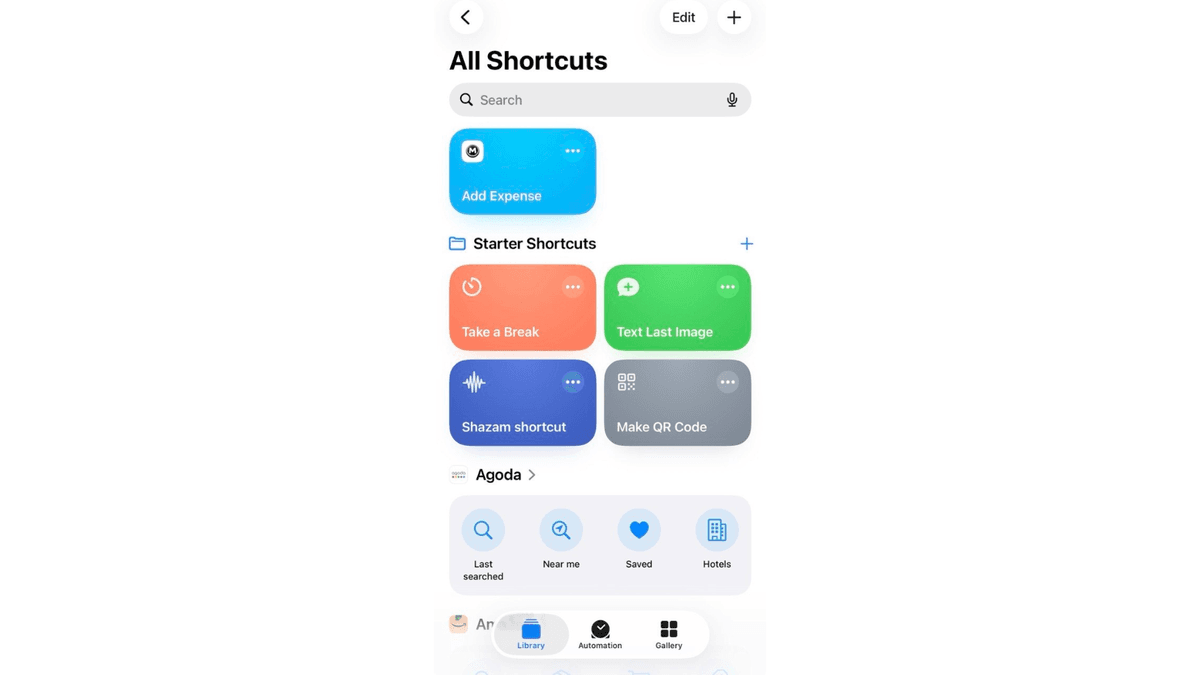
Open the Shortcuts app on your iPhone. Find "Add Expense" under the moneeAI section and tap Add Shortcut.
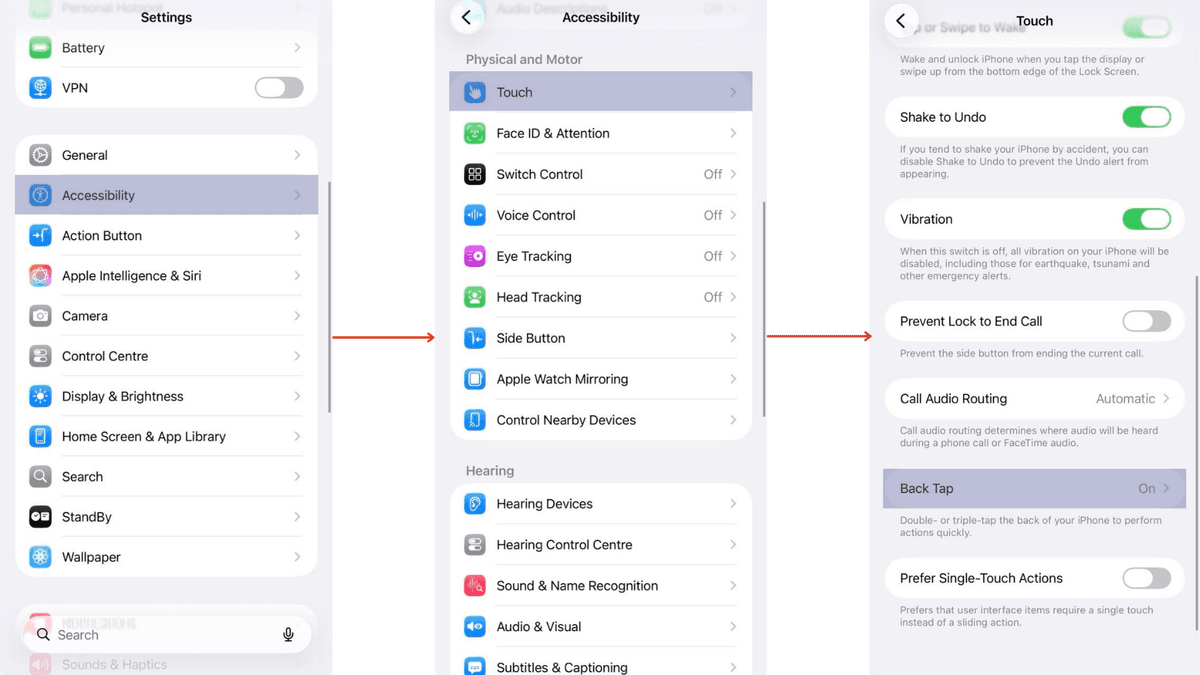
Go to Settings → Accessibility → Touch → Back Tap
Open Settings, tap Accessibility, then tap Touch. Scroll to the bottom and tap Back Tap.
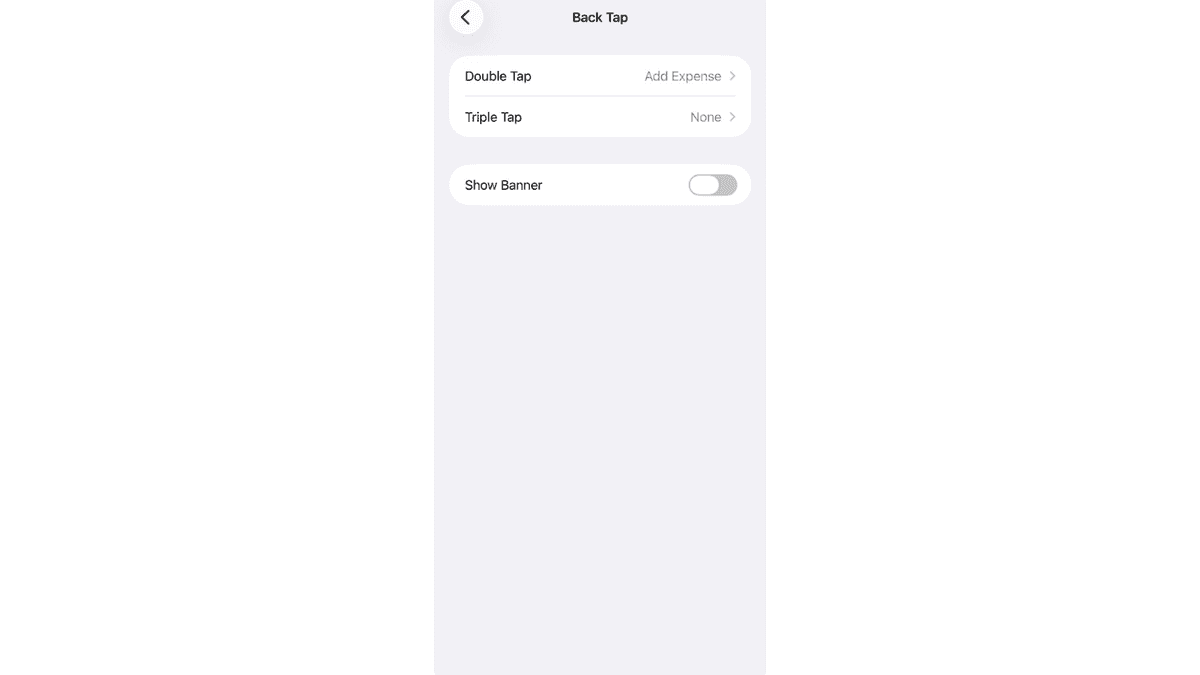
Assign the shortcut to Double Tap or Triple Tap
Tap Double Tap (or Triple Tap). Scroll down to the Shortcuts section and select "Add Expense". You're done.
Pro tip
Use Triple Tap if you find Double Tap fires unintentionally while putting your phone in your pocket. Triple Tap is slightly more deliberate and far less likely to trigger by accident.
Ready to try it?
Download moneeAI — Back Tap is a free feature.