Set Up and Manage Recurring Transactions
Automate your regular expenses and income — subscriptions, rent, salary — so you never have to log them manually again.
What are Recurring Transactions?
Recurring transactions are entries that moneeAI logs automatically on a set schedule. Instead of manually adding your Netflix subscription or monthly salary every time, set it once and moneeAI handles the rest.
Requirements
- moneeAI v1.2.0 or later
- Free — no Plus subscription required
How to set it up
Apply Recurring when Adding a Transaction
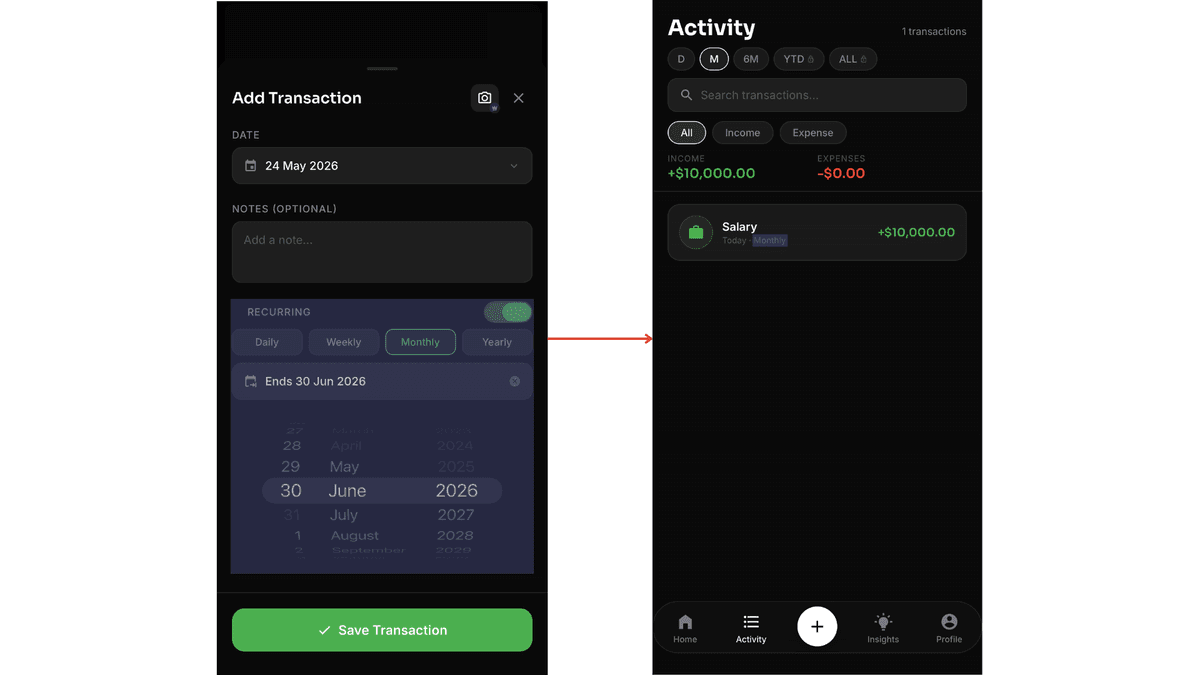
When adding an income or expense, toggle on the Recurring option. Set the frequency — daily, weekly, monthly, or yearly — and optionally set an end date if applicable. Once saved, head to your Transactions page to confirm the recurring transaction has been added successfully.
Manage All Recurring Transactions in Profile
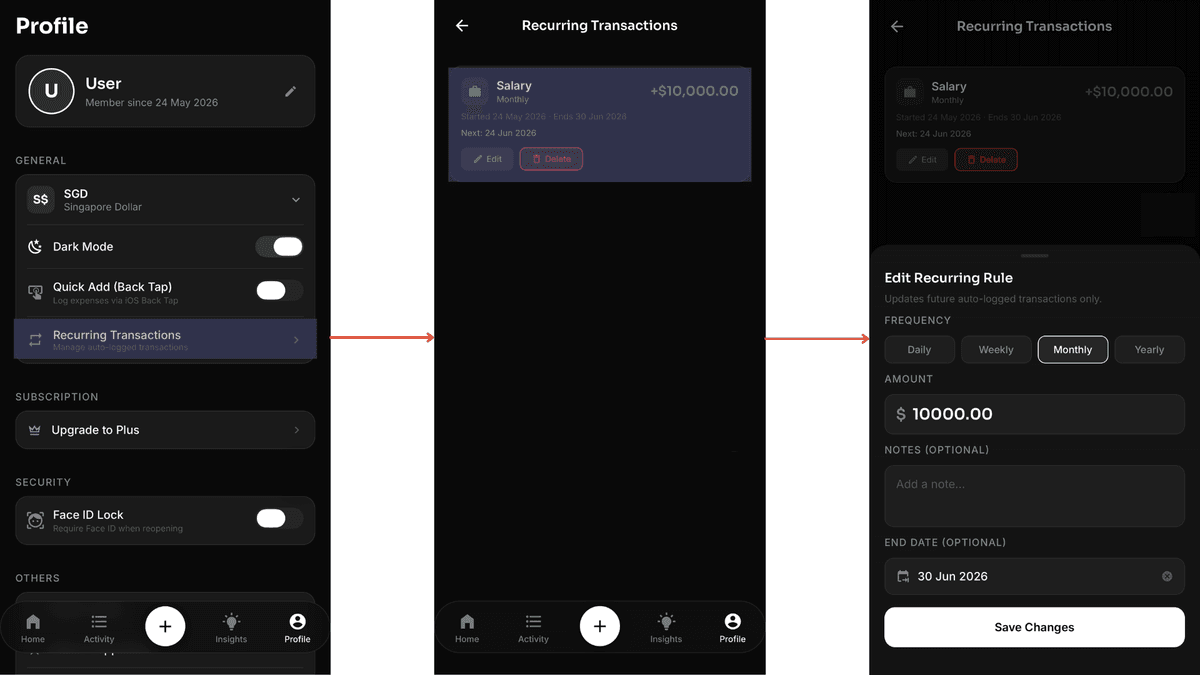
Go to your Profile page and tap Manage Recurring Transactions. Tap Edit on any entry to update its details, or Delete to remove it entirely.
Pro tip
Use recurring transactions for fixed monthly costs like rent, streaming subscriptions, and phone bills. For variable expenses like groceries, stick to manual entry so your budget stays accurate.
Ready to try it?
Download moneeAI — recurring transactions are free.