Track Expenses Across Multiple Destinations with Travel Mode
Enable Travel Mode to log expenses in local currencies across multiple trip legs, then convert everything back to your base currency when you're home.
Enable Travel Mode and configure your trip
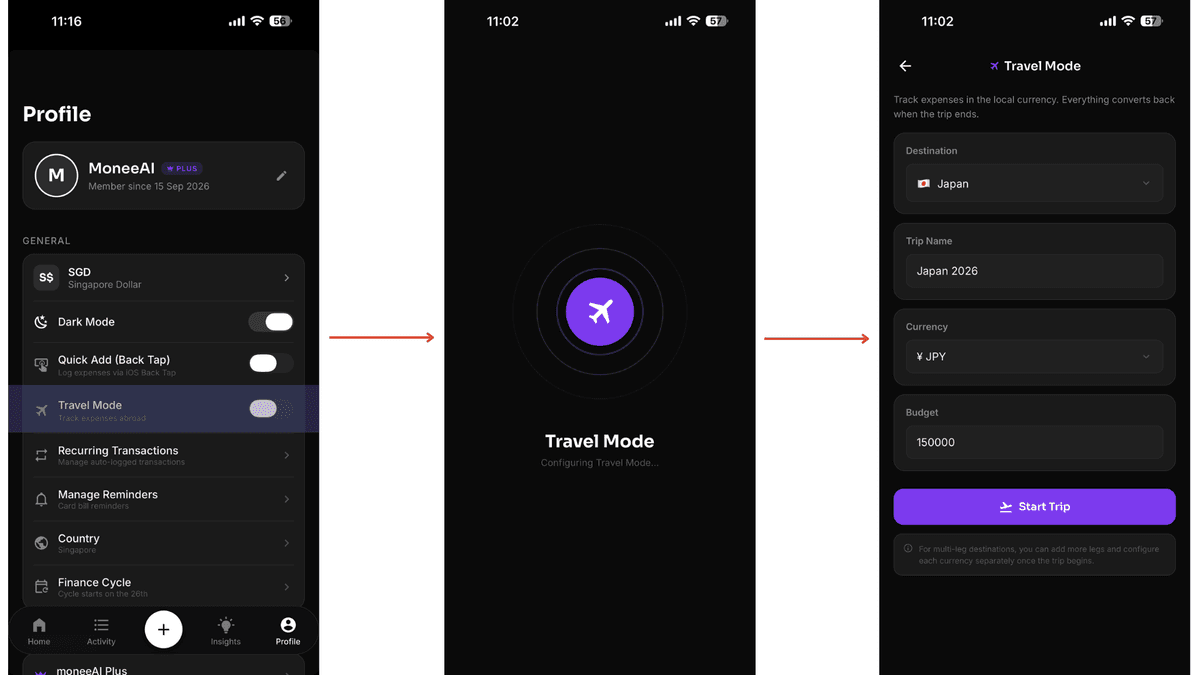
Open your Profile Page and toggle on Travel Mode. A dedicated Travel Mode Configuration Page will appear. Enter your destination, a nickname for this leg, the destination's currency, and budget. Tap Start Trip when you're ready.
Add your first transaction
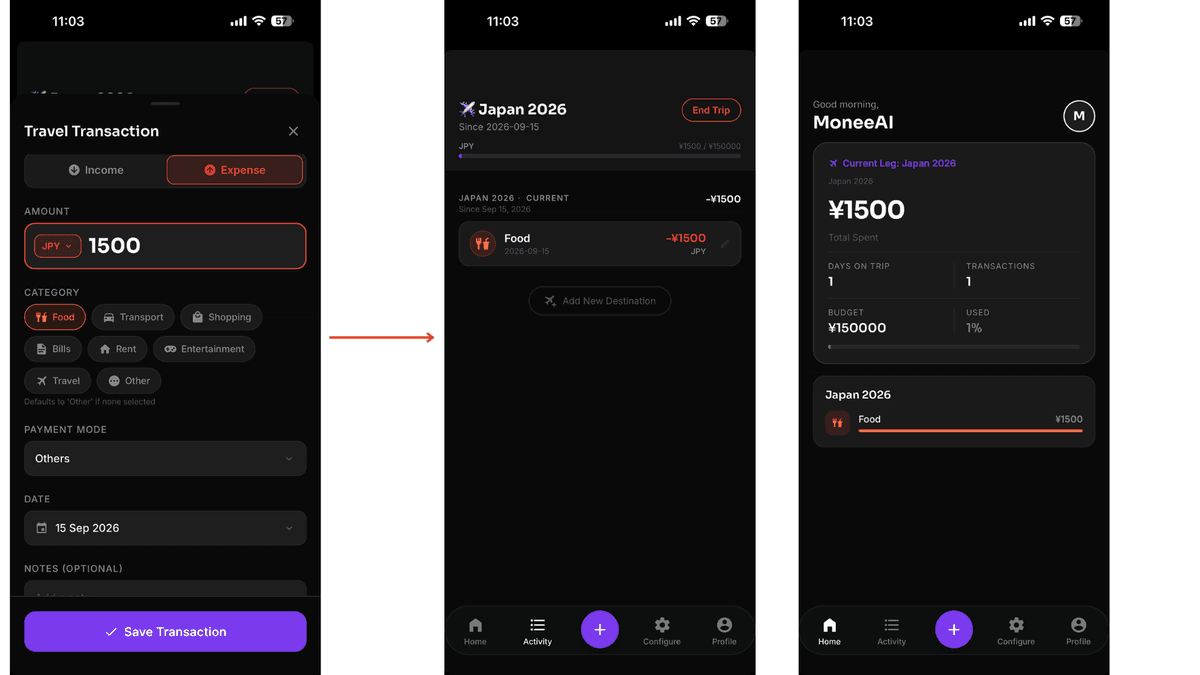
Tap the "+" button and log your first expense in the destination's currency. Your transaction will appear in the Activity Page and Home Page under your active trip leg.
Start a new leg for your next destination
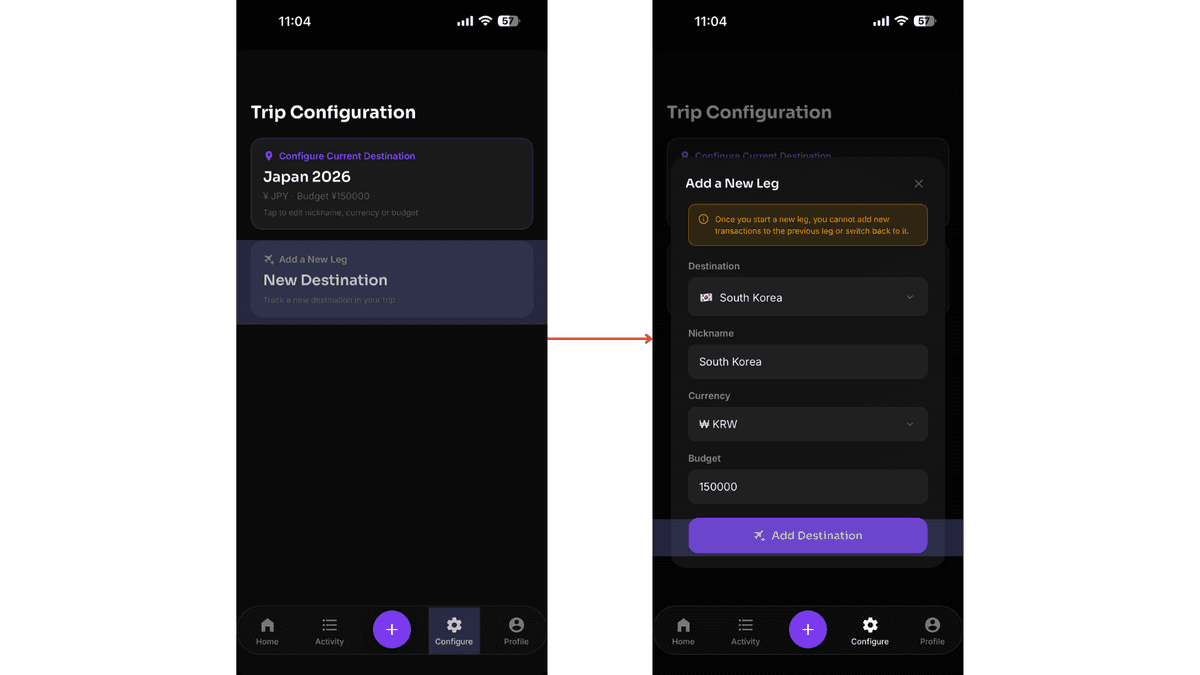
Moving on to another destination? Open the Configure Page and tap Add a New Leg. Set the destination, nickname, currency, and budget for the next stop, then tap Add Destination. Note that once the new leg begins, your previous leg is locked. You can still edit existing transactions, but cannot add new ones to it.
Keep tracking in the new leg
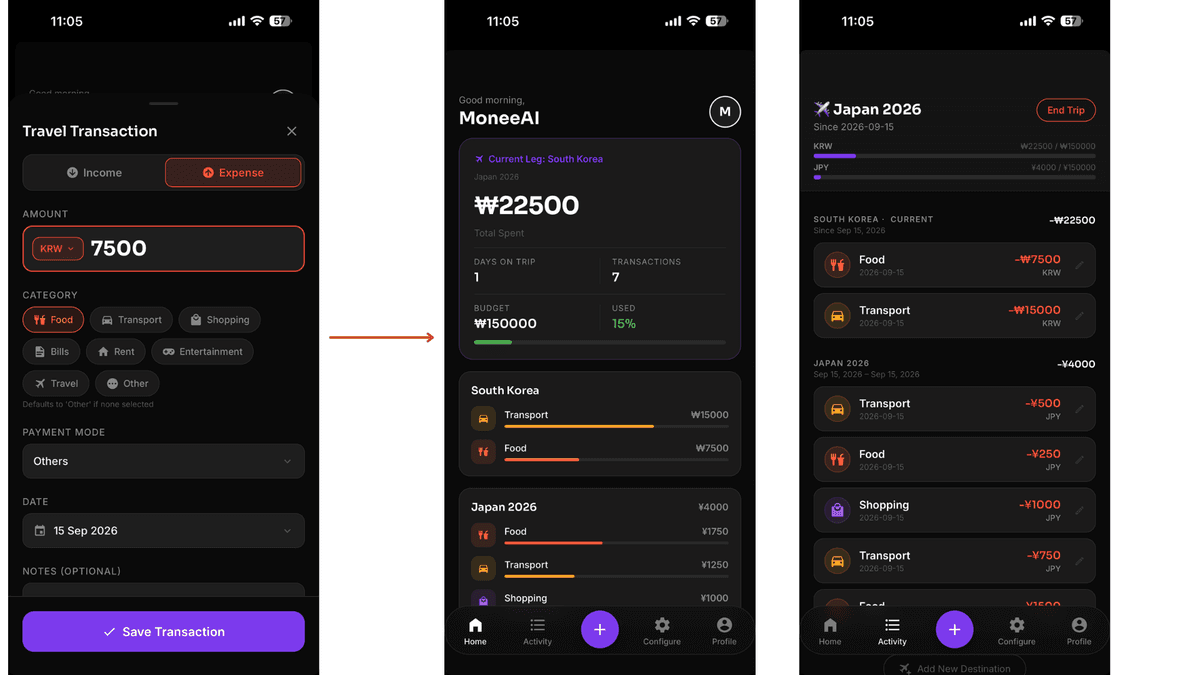
Continue adding transactions as normal. moneeAI will log them under the new leg in the destination's currency. Switch between legs any time from the Configure Page to review what you've spent.
End the trip and convert to your base currency
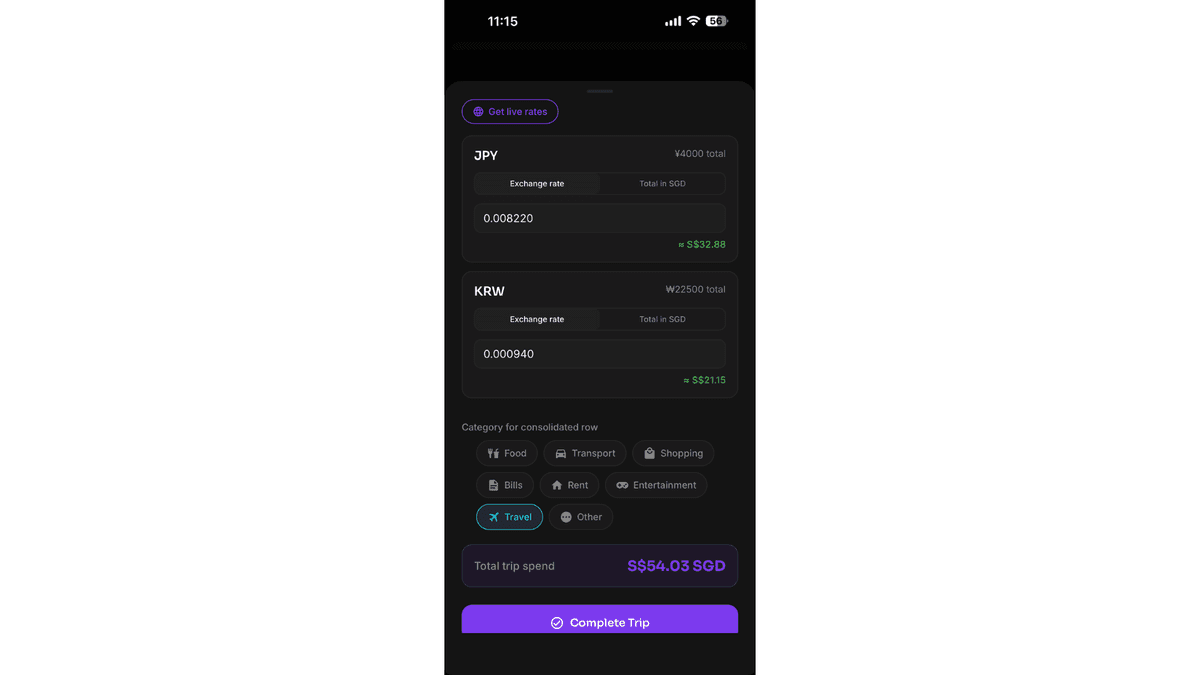
When you're back home, tap End Trip from the Activity Page or toggle off Travel Mode in your Profile. On the End Trip screen, moneeAI auto fetches live exchange rates for each leg. Accept them, or manually enter the total amount you want to record. Choose a category for the consolidated row and tap Complete Trip.
Review your full trip summary
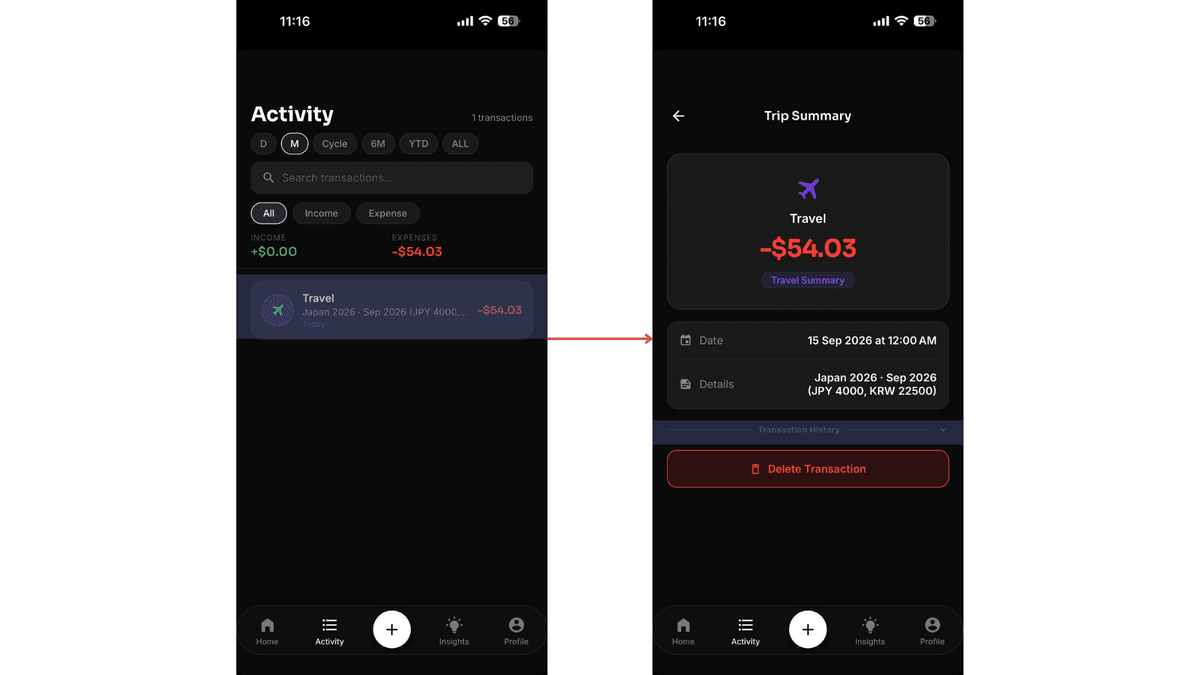
Once the trip is complete, a consolidated row appears in your Activity Page representing the entire trip. Tap on it to expand and see the full transaction history — every leg, every expense, broken down by destination. A complete record of your trip, all in one place.
Pro Tip
When starting a new leg, your previous leg is locked so nothing changes by accident. You can still review its transactions at any time from the Activity Page.
Ready to track your next trip?
Download moneeAI and enable Travel Mode before you fly.
Download on App Store